
How to create your own Teardown server and play with friends
After so many years of waiting, the developers have added an official multiplayer mode in Teardown. Now you can play your favorite game with friends without installing additional mods. In today’s guide, we’ll explain how to easily create your own server and invite friends. Remember, to access multiplayer you need to enable the experimental beta mode. Additionally, make sure your PC meets the minimum requirements for playing Teardown multiplayer.
How to Create Your Own Server in Teardown
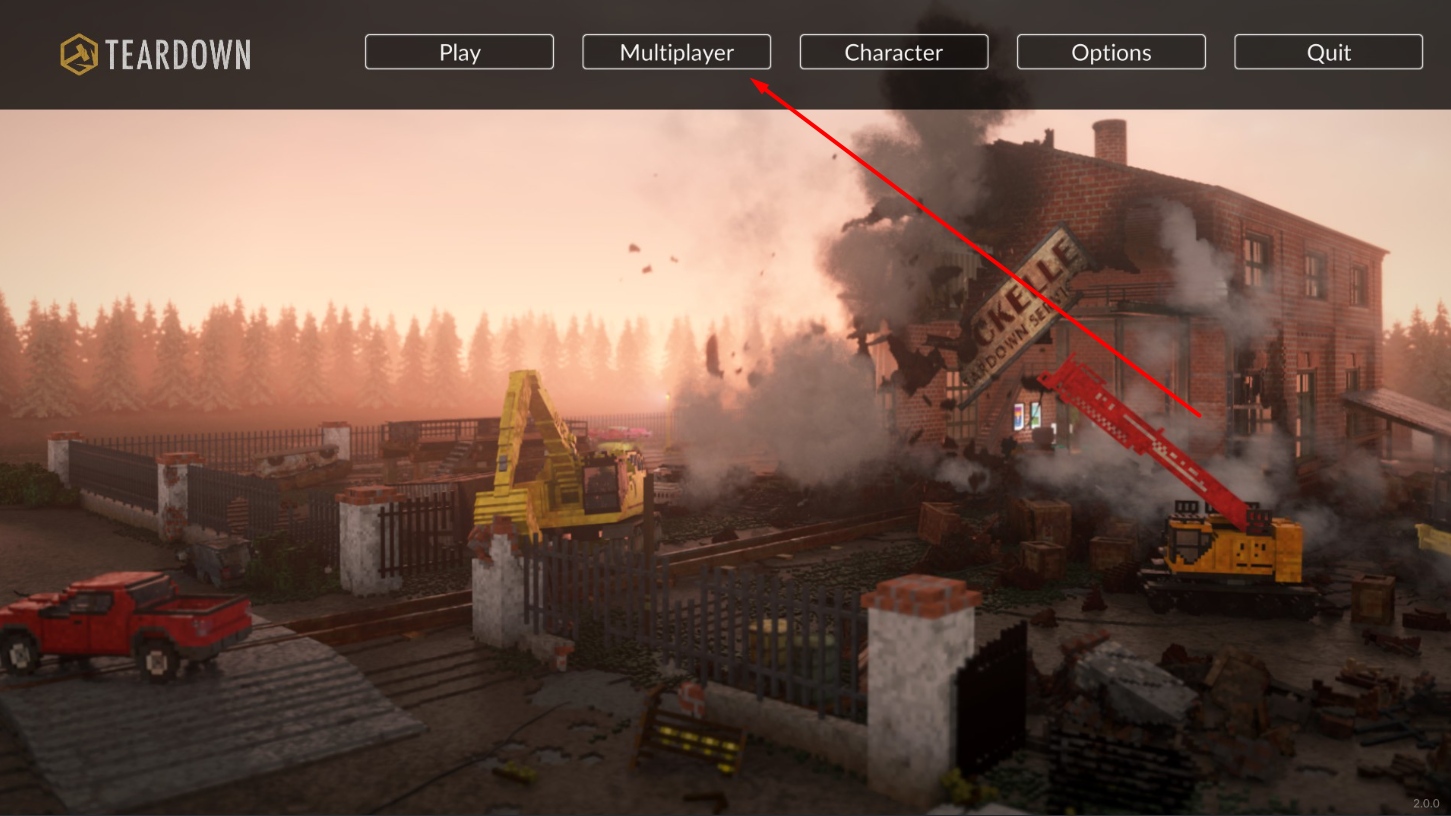
Creating your own server takes just a few clicks. First, launch the game. If you have the experimental beta version installed (update 2.0.0), the main menu will display the Multiplayer option.
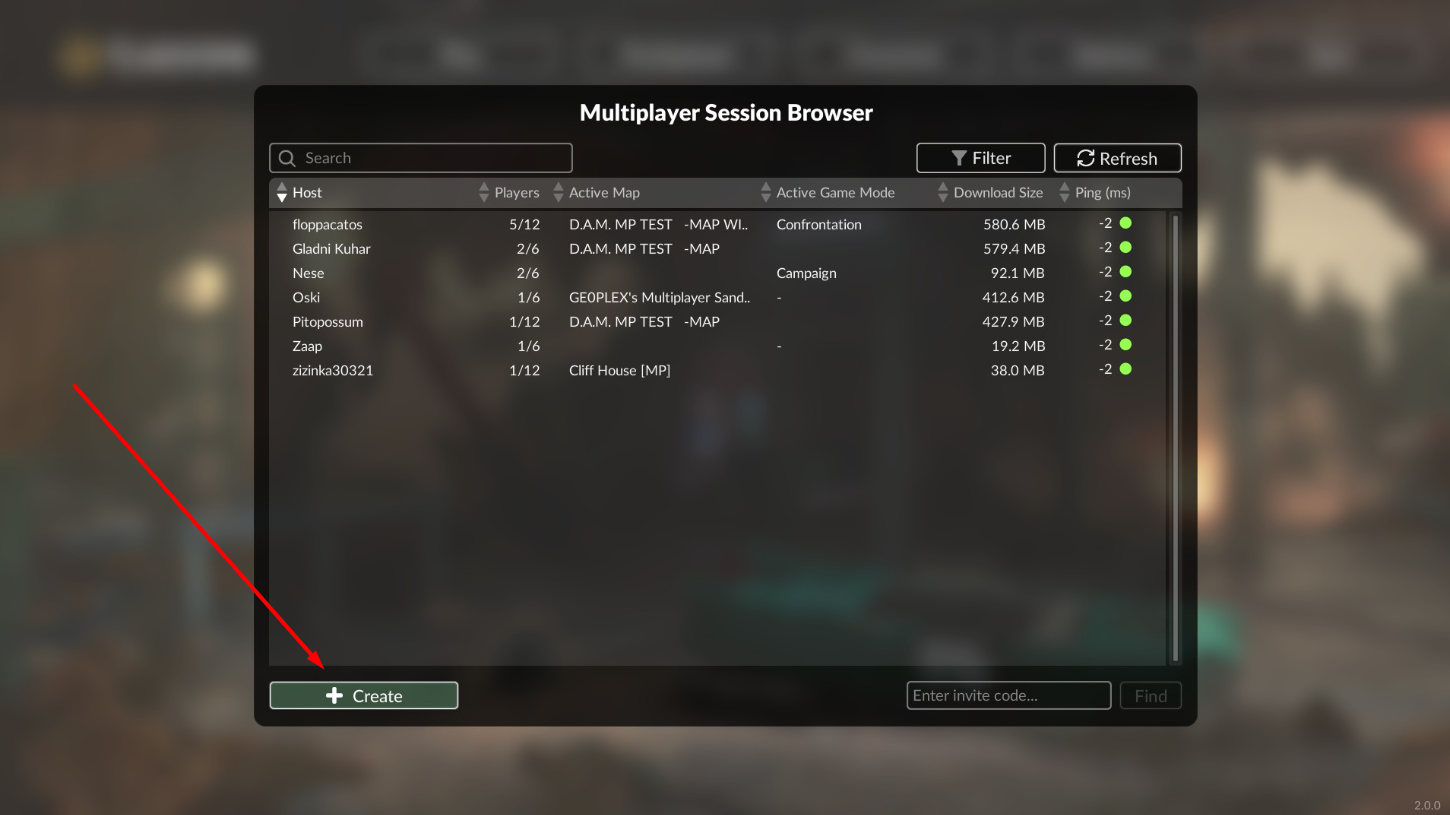
After clicking, a page with a list of public servers will open, where you can join, but we are interested in creating your own server. On the same page, find the Create button.
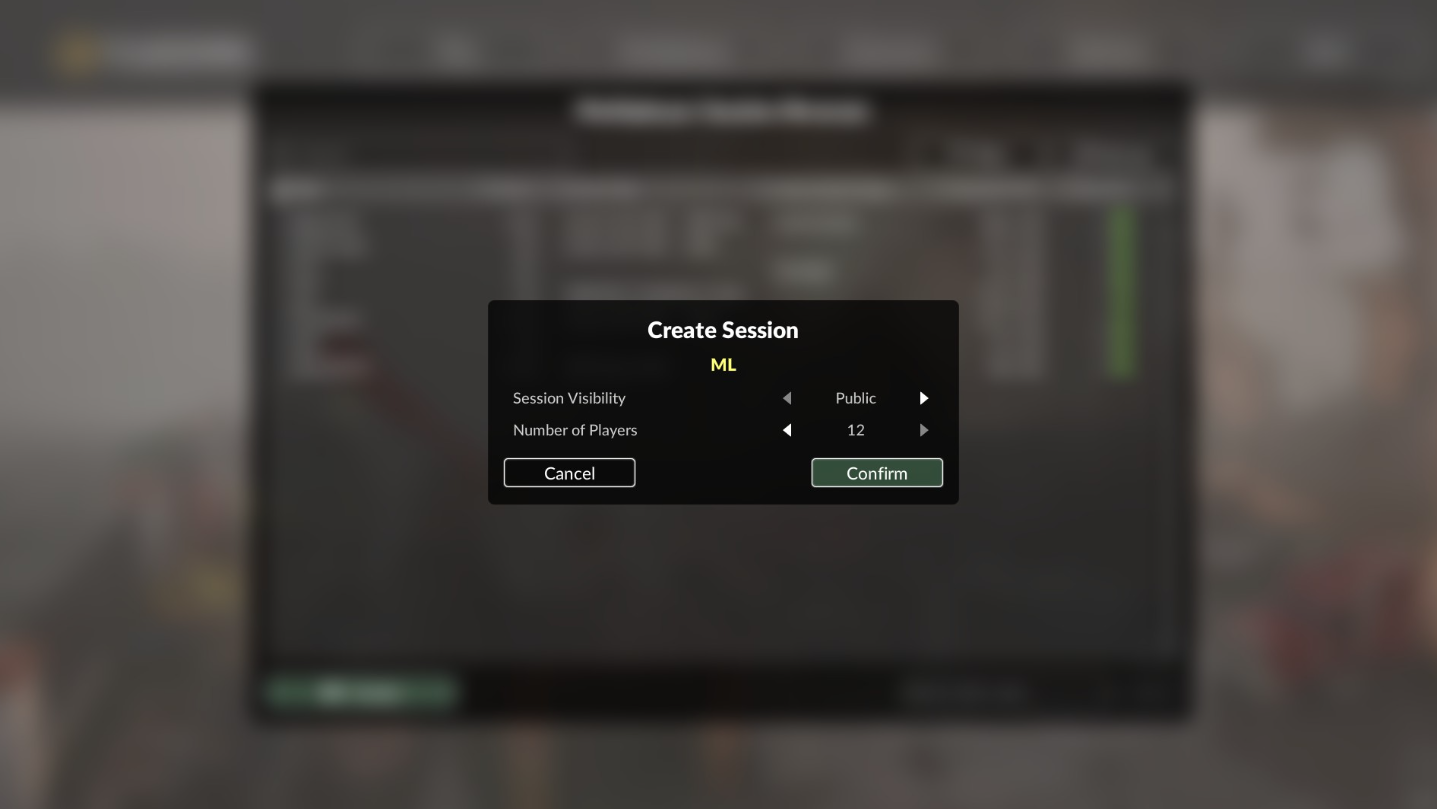
Clicking it opens a small window with settings, where you can select the server type and the number of players. If you choose Public, the server will be available to everyone. If Private, only your friends can join (via direct Steam invite or an invitation code, which friends must enter in the field next to the Create button).
After setting the privacy options and number of players, click "Confirm". The server is successfully created, and you just need to set the game mode and invite friends.
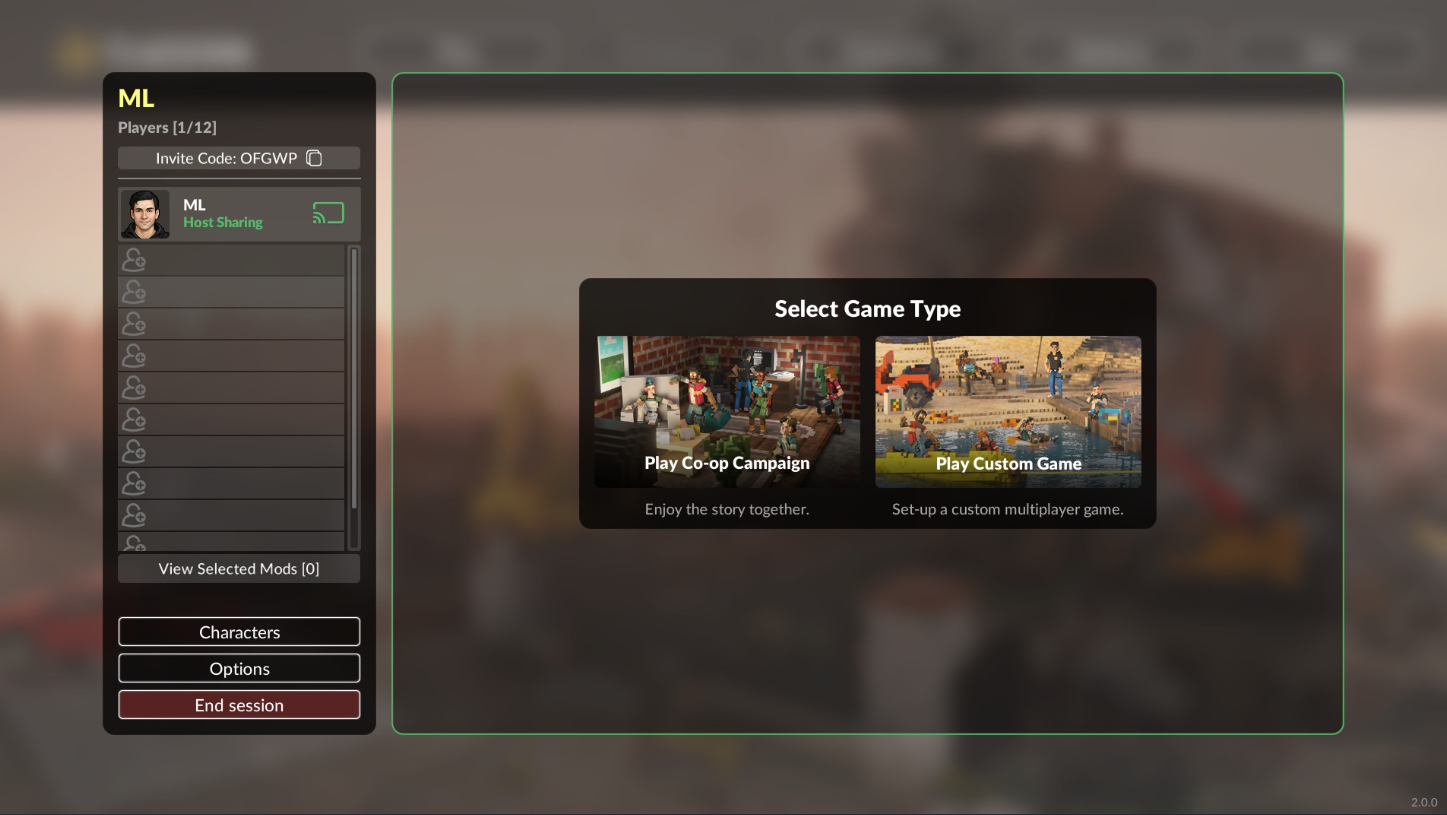
On the opened page, you can play the co-op campaign with friends (Play Co-op Campaign) or custom games. Custom games are separate modes that can be installed from the Steam Workshop or downloaded from our website.
How to Join a Friend’s Server and Play Together in Teardown
Once a player has created a private server, they can invite their friends via Steam. You can also join manually. The host must provide the invitation code (located on the server mode settings page, just above the host’s nickname, see screenshot above). Enter the invitation code on the "Multiplayer" page in the box next to the Create button to join the game.
How to Get All Achievements in Teardown — Complete Guide
- 704
- 0
- 30 mar 2026
How to Enable Multiplayer in Teardown – Step-by-Step Guide
- 922
- 0
- 13 feb 2026
Comments 0
Rules for writing comments. For non-compliance - ban!
- Use of profanity (mat) in messages
- Communication is not on the topic of the material
- Any insults of other participants, including the author of the material
- Writing messages in whole or in part in CAPITAL letters (Caps Lock)
- Expressing your opinion without supporting it with arguments
- The use of links to third-party sites, or the use of images/videos/other content containing the aforementioned links
Messages that violate these rules will be deleted, and malicious violators - deprived of the ability to add comments on the site!