
Mods


- 1429
- 219
- 0
BMW X6 Competition 2019 - Optimized for version 0.32 - Breaking glass - Realistic sound - Realistic engine - Working doors and hood - Speedometer works - Realistic interior


- 1165
- 229
- 0
A mod to increase the amount of money With this mod, you can add or remove money from your balance at the touch of just one button or according to a set schedule! Deleting a specific amount or percentage of money every day, week, season, or year, as well as using a hotkey, is a great way to complicate the game in the later stages. On the other hand, to make the game easier in the initial stages. Description Stardew Valley Gold is a cheat. It requires SMAPI (version 3.0.0 or higher) and was designed for use with Generic Mod Config Menu (version 1.12.0 or higher), but can be used without it. All mod settings are saved separately for each farm. This means that you can make one farm richer and another poorer. This mod does not make changes to your save files, so it can be safely installed or deleted at any time during the game. The mod is also compatible with multi-user farms. Multi-user mode The mod is compatible with multi-user farms, both local (split screen) and online. However, the mod will only work if you are the owner of the farm. Only the owner needs to install the mod. Connected players don't need the mod. If total revenue is included, all players will receive money when the host receives money. If the total income is disabled, only the owner will receive the money. If you have a mod installed, but you are not the owner, the mod will not work. You will not receive money, regardless of the settings, if you are a connected player. At the moment, only the owner sees messages on the screen related to money. Connected players see a change in the amount of money if total revenue is enabled, but they don't see the messages. Installation Install the mod manager of your choice or install the mod manually, like most other mods, by placing the StardewValleyGold folder in your Mods folder. This is usually on the way...\Stardew Valley\Mods. This is common for Steam users...\Steam\steamapps\common\Stardew Valley\Mods. Deleting Since the mod does not make changes to the save files, it can be deleted at any time during the game. You can delete the mod through your mod manager or simply delete the StardewValleyGold folder and all its contents from your folder...\Mods. Setup For users of the Generic Mod Config Menu: After starting the game, you can adjust the global mod settings on the title screen (before loading the saved game). Inside the game, you can customize the mod for each farm separately. The mod is enabled for each farm separately, so you need to enable the mod in the game for each farm where you want to use it. For users who do not use the Generic Mod Config Menu: You need to launch Stardew Valley and upload your save with the mod installed at least once. After that, exit the game and go to the folder...\Stardew Valley\Mods\StardewValleyGold\Data, where you will find the Global_Settings file.json and the settings file for your farm. Open both files in a text editor (for example, notepad, notepad++ or sublime text) and change the values as you wish. You need to set the AllowanceEnabled flag to TRUE, as well as at least one of the flags associated with the schedule (for example, GrantAllowanceTue) to TRUE or set the GrantAllowanceOnKeyPress flag to TRUE. Then restart Stardew Valley and start using the mod. Please note that these steps need to be repeated for each new farm where you want to use the mod. Compatibility The mod should be compatible with all other mods, but there may be problems with use if you use a modified version of the Generic Mod Config Menu or a mod that modifies the Generic Mod Config Menu. Otherwise, there should be no problems with other mods, even those that add money.

- 920
- 468
- 0
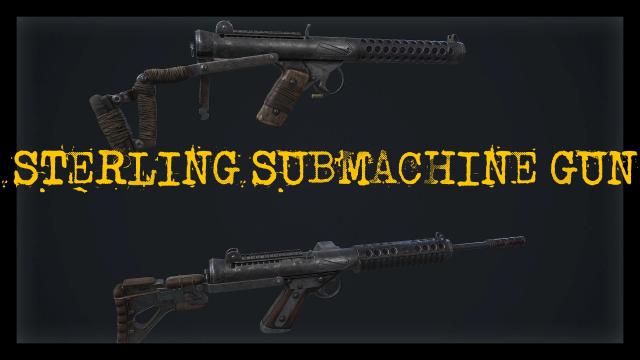
A mod for Fallout 4 adds a new submachine gun to the game. - Appears in the Commonwealth as loot from level 13.

- 965
- 370
- 0
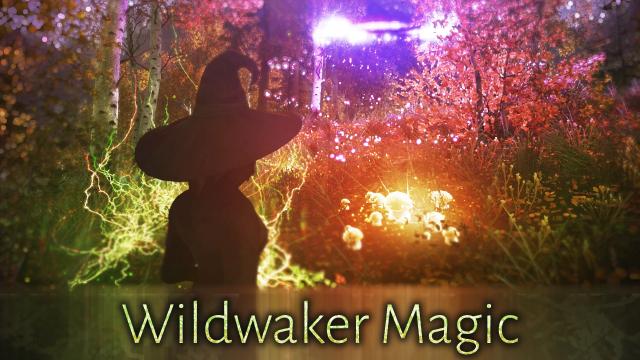
Have you long dreamed of natural magic in Skyrim? The mod adds 8 new powerful spells to the game, which deal a lot of periodic damage, but require a long casting time. All spells can be seen in the screenshots and videos. How to get it? - Buy from spell merchants.

- 758
- 163
- 0
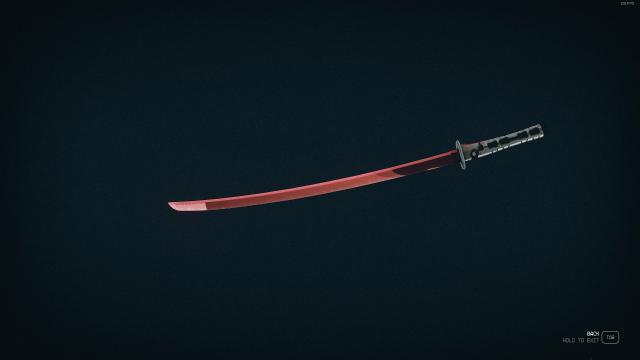
Looking for a powerful blade for close combat? The modification adds Murasama from Metal Gear. Now you have a truly powerful katana, capable of cutting your opponents to pieces.

- 930
- 253
- 0
Do you love Honkai Star Rail? The modification allows you to become the Silver Wolf (only in appearance) from this game. Recommended to use with any mod that hides the spacesuit (for example, Smarter Spacesuit Auto-Hide). You can get it by crafting at a chemical workbench.
- 839
- 151
- 0
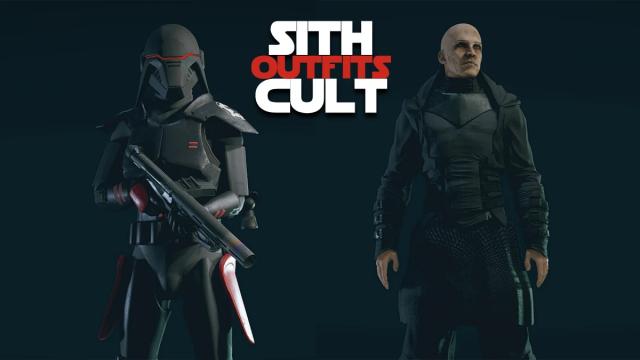
The modification adds a new standalone set (does not replace anything) on the Star Wars theme. The pack includes: - Sith Ambassador Costume; - Sith infantry suit (helmet, armor, backpack). Can be obtained by crafting at an industrial workbench.
- 947
- 242
- 0
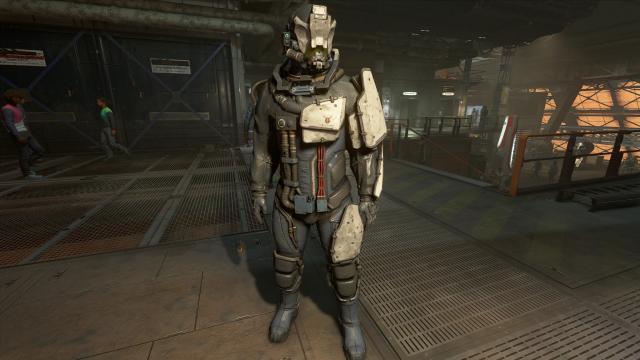
Buy equipment of the base factions of the game from merchants in different Starfield systems!