
All codes and cheats in Teardown: how to use in 2026
Teardown is a game that is literally built for experimentation. But sometimes you just want to destroy everything peacefully instead of struggling with the timer. The good news: there are several ways to enable cheats, and each one fits different needs. Let’s go through all three methods step by step.
Are there built-in cheat codes in Teardown?
No. Unlike many other games, Teardown does not have a built-in console with commands or classic cheat codes that you type on the keyboard. All cheating in the game works through three tools: cheat mods, external trainers, and manual editing of the save file.
Method 1. Cheat mods
The most convenient and safest option is to install a cheat mod directly through Steam Workshop or via local installation. It works like a regular mod and does not require third-party programs. Tearware is the most popular and feature-rich cheat mod for Teardown. It opens with the Insert key during gameplay or through the pause menu. It includes
- Godmode — character immortality
- Infinite Ammo — unlimited ammunition for all weapons
- Disable Alarm — disables the alarm, the timer will not start
- Noclip — walk through walls and objects
- Fly / Jetpack — flight and jetpack Speed — increased movement speed
- Teleport — instant teleportation
- Disable Physics / Force Physics — control over world physics
- Skip Objective — instantly complete the objective
- Explosion Brush / Fire Brush — draw with explosions and fire
- Bullet Time — slow motion
All functions can be bound to hotkeys — right-click the desired option, then choose a key.
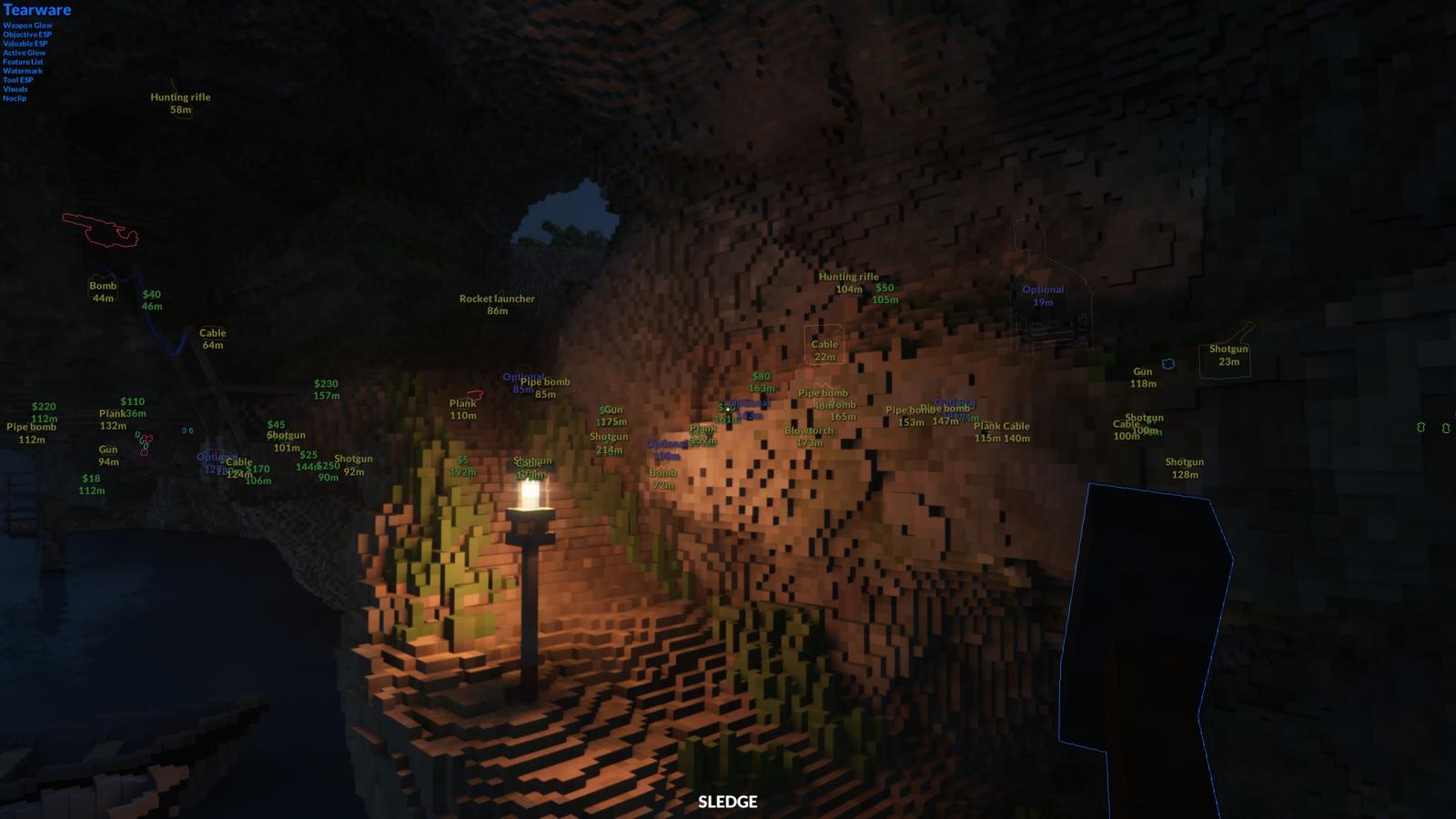
There is also a simpler option — Mod Menu. It opens with the Q key and offers a basic set: immortality, infinite ammo, instant victory, and disabling the timer. It is suitable if you do not need advanced features. To learn how to install a cheat mod — read our general mod installation guide.
Method 2. WeMod trainer
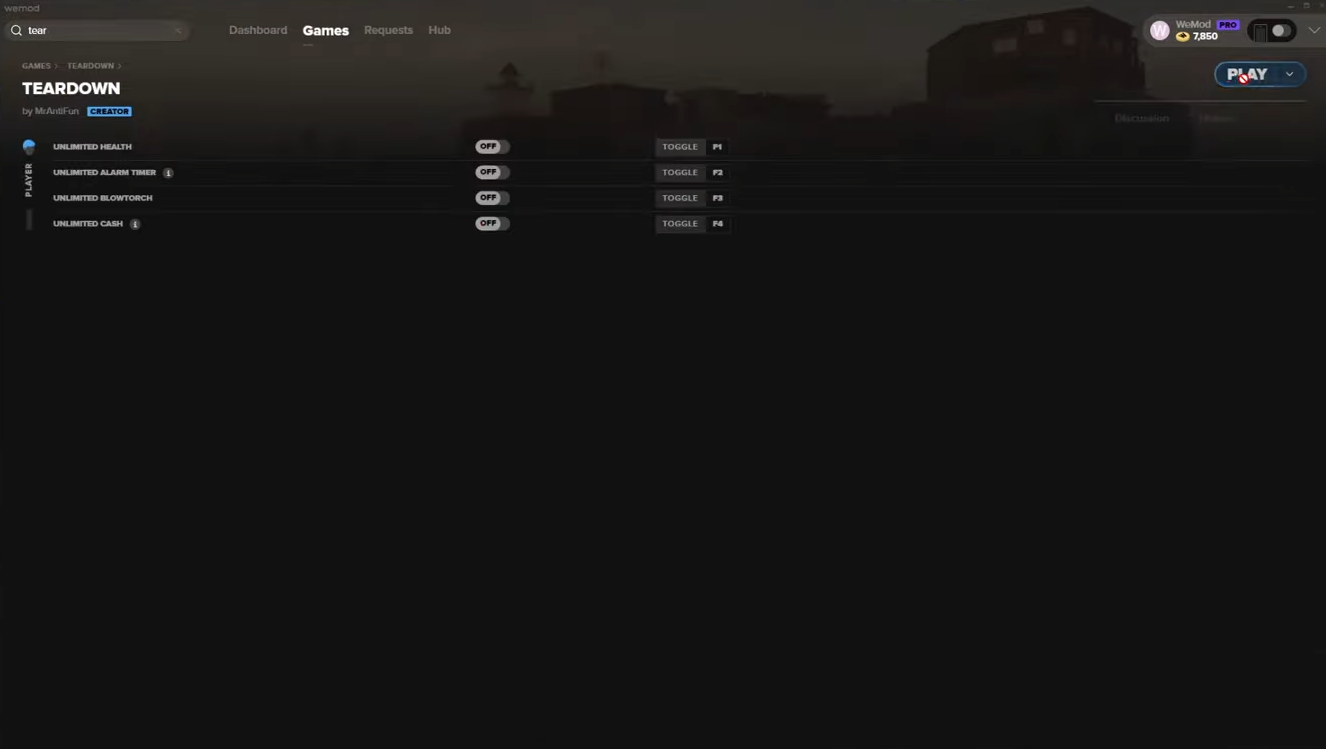
WeMod is a free application that runs on top of the game and adds cheats without mods. It is suitable for those who do not want to mix mods with the main game installation. How to use it:
- Download WeMod
- Find Teardown in the application library
- Launch the game through WeMod
- Activate the required functions with hotkeys during gameplay
What the trainer provides:
- Infinite health
- Infinite vehicle health
- Infinite money
- Infinite timer time
- And more
The trainer is updated for current game versions — at the time of writing, version 2.0.0 is supported.
Download the trainer for Teardown
Method 3. Editing the save file
This method does not require mods or programs — only a text editor. It is suitable for unlocking the entire sandbox and tools without completing the campaign.
Open the file in any text editor (Notepad, Notepad++, etc.) and find the necessary parameters.
- Unlock all sandbox levels. Find the
section and set value="1" for each mission you want to unlock. Infinite money. Find the line with the balance and set the desired amount: xml All tools. Find the section with tools and set the upgrade level to maximum. Before editing, make a copy of the savegame.xml file — just in case something goes wrong.
Do cheats affect achievements?
Yes — most cheat mods block Steam achievements while they are active. If you want to unlock all achievements legitimately, disable cheats before completing the required conditions. A full list of what you need to do is in our guide to getting all achievements.
Do cheats work in multiplayer?
No, and it is not worth trying. Cheat mods are designed exclusively for single-player mode. In multiplayer they either do not work or cause crashes. To learn more about how the online mode works — read the multiplayer guide.
Conclusion: which method to choose
If you just want to have fun in single-player — go with Tearware, it is the most complete and convenient option. If you do not want to install mods — use WeMod. If you need to quickly unlock the sandbox without extra steps — edit savegame.xml. If the game starts lagging after all the experiments — check out our optimization and FPS boost guide.
Comments 0
Rules for writing comments. For non-compliance - ban!
- Use of profanity (mat) in messages
- Communication is not on the topic of the material
- Any insults of other participants, including the author of the material
- Writing messages in whole or in part in CAPITAL letters (Caps Lock)
- Expressing your opinion without supporting it with arguments
- The use of links to third-party sites, or the use of images/videos/other content containing the aforementioned links
Messages that violate these rules will be deleted, and malicious violators - deprived of the ability to add comments on the site!