
Mods
![[Lenny kidsroom] - single bed bedding](/files/mods/the_sims_4/kDQTYFTkYG/img1pre.jpg?)

- 932
- 196
- 0
Single bed linen for The Sims 4: - 4 colors; - Category: Kids / Kids Furniture.

- 1293
- 265
- 0
The mod adds a new palm tree for The Sims 4: Category: Decor - Plants; Cost: 226; Tile: 2x2; Color Variations: 4.
- 1092
- 213
- 0
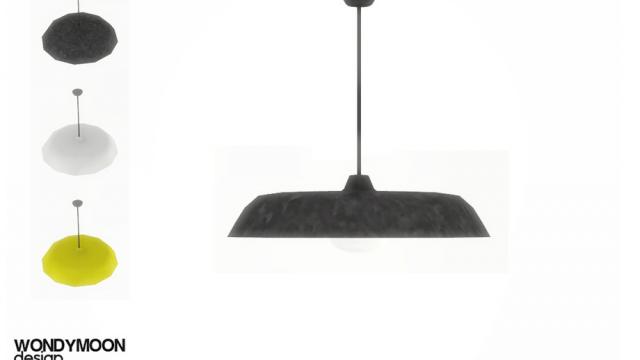
The mod adds a new ceiling light for The Sims 4.
- 1440
- 267
- 0
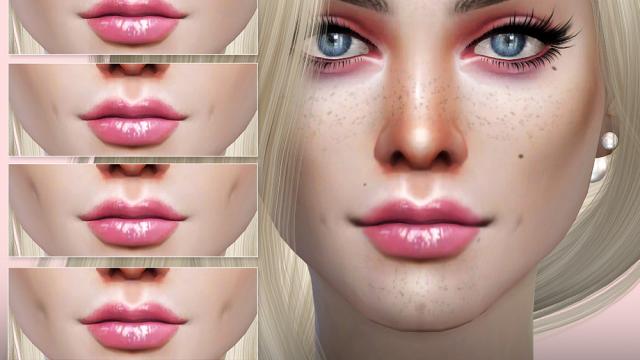
- 5 options for left, right or both sides for The Sims 4.

- 1415
- 319
- 0

- 1022
- 215
- 0
The mod adds a new top for The Sims 4: - Own sketch; - 20 samples.


- 1665
- 278
- 0
This mod adds the ability to walk with the ALT key instead of constantly running like a 10 year old child. Installation: Simply unpack and drag the contents into your Cyberpunk folder ( "C:\Program Files (x86)\Steam\steamapps\common\Cyberpunk 2077\") and press the Yes button to replace the files. If you don't want to use alt or want to change the speed, open the file and find: mapping name="LeftY_Axis" type="Axis" button id="IK_Pad_LeftAxisY" / button id="IK_W" val="1.0" overridableUI="forward"/ button id="IK_S" val="-1.0" overridableUI="back"/ button id="IK_Alt" val="0.4" overridableUI="forward"/ /mapping The bold line is the one you can edit. IK_Alt is the key, 0.4 is the speed, 1 is the normal running speed.

- 1447
- 248
- 0
The mod includes some changes to the gameplay settings such as: - No double tap to dodge; - Special dodge button (ALT); - Interaction button changed to (E) instead of (F); - No double tap to holster weapon. Installation: Extract the contents. Drop into the folder C:\Program Files (x86)\Steam\steamapps\common\Cyberpunk 2077\r6\config For other platforms the path should differ, but most likely the path will be \Cyberpunk 2077\r6\config"