
Mods


- 890
- 240
- 0
This mod adds a new dress for The Sims 4: 10 colors; For teens and up; Compatibility with HQ; User sketch; New meshes; All lod.


- 1713
- 248
- 0
This mod adds settings to create a beautiful Vi, similar to actress Ivonne Strahovski. The archive contains a text file with all the character settings. Translated into Russian.

- 2300
- 275
- 0
Installation: 1. Download the mod and extract the "ico" file to your desktop; 2. Right-click on the Cyberpunk 2077 game shortcut and select "Properties"; 3. Select "Change Icon" and "Browse"; 4. Select the extracted "ico" file and enjoy.
- 1556
- 218
- 0
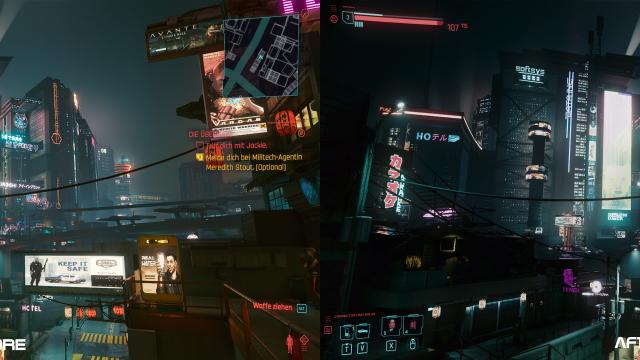
This preset adds a more grim and cold atmosphere from the game Bladerunner to Cyberpunk 2077.
- 1441
- 243
- 0
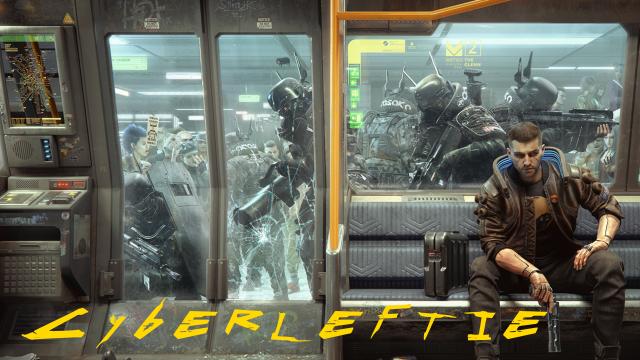
Current versions of Cyberpunk (1.04 and below) do not allow the user to rebind movement keys or interaction buttons. This is, of course, a huge problem for lefties. This mod provides a pre-configured xml and json files. Installation. Steam: 1. Go to C:\Program Files (x86)\Steam\steamapps\common\Cyberpunk 2077\r6\config 2. Make a backup of the inputUserMappings.xml file and replace it with a file with the same name from this mod 3. Go to C:\Users\[user name]\AppData\Local\CD Projekt Red\Cyberpunk 2077 4. Make a backup of the UserSettings.json file and replace it with a file from the mod GOG: 1. Cyberpunk game catalog>/r6/config> 2. Make a backup of the inputUserMappings.xml file and replace it with a file with the same name from this mod 3. Go to C:\Users\[user name]\AppData\Local\CD Projekt Red\Cyberpunk 2077 4. Make a backup of the UserSettings.json file and replace it with a file from the mod Now your key bindings will be as follows: Movement: Forward = I Left = J Back = K Right = L Miscellaneous: Interact = O (letter) Inventory = Y Craft = A Journal = H Perks = S Feel free to tweak the xml and Json files to your convenience.

- 1226
- 210
- 0
This mod adds a new preset that gets rid of the green fog and slightly darkens the image without sacrificing performance.

- 1448
- 249
- 0
Installation: Simply drop the file into the root folder of the game.

- 1450
- 233
- 0
Mod for Cyberpunk 2077 changes the crafting time to whatever you want. Installation: 1. Drop the downloaded file into the \Cyberpunk 2077\r6\config folder. 2. Open it with any text editor. 3. Press Ctrl+F and search for the line: hold action=" craft_item " timeout= 4. Change the value (default 0.8) to 0.1 (makes crafting instant) or 0.2 (fast crafting).