
Mods

- 2299
- 452
- 0
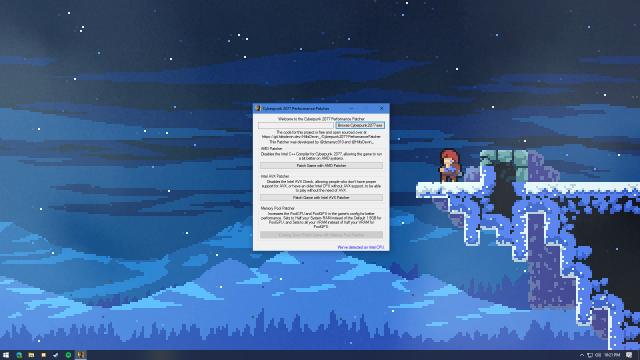
Universal open source patching tool for Cyberpunk 2077 which disables Intel AVX, disables Intel C++ compiler for AMD systems. Available options: 1. AMD Patcher - Disables Intel C++ compiler, allowing the game to run slightly better on AMD systems (mainly FPS drops for AMD users) 2. Intel AVX Patcher - Disables Intel AVX check, allowing people who don't have proper Intel AVX support or don't have Intel AVX at all to play the game on Intel systems without any crashes related to Intel AVX. 3. Memory Pool Patcher - Allows you to easily adjust PoolCPU and PoolGPU. 4. Change PoolCPU - Change the default 1.5GB of RAM, at least half of your RAM or higher. 5. Change PoolGPU - Change the default 3GB of VRAM.

- 1555
- 230
- 0
What cheats are included: - A large number of points for personal distribution; - 990000 euros; - Maximum level of reputation and character.

- 1428
- 269
- 0
\gameplay This mod for Cyberpunk 2077 changes the driving settings. Makes driving easier. Installation: - Extract the contents and add to the folder C:\Program Files (x86)\Steam\steamapps\common\Cyberpunk 2077\r6\config\gameplay

- 1895
- 686
- 0
\ - Запустить игру и загрузить сохранение. Installation: - Download and unpack the file; - Put the save in the folder %userprofile%\saved games\CD Projekt Red\Cyberpunk 2077\ - Launch the game and load the save.

- 1506
- 226
- 0
The Cyberpunk 2077 mod adds a save with level 50. For those who want to try to go through several endings. The save contains: - 130,000 Eurodollars; - Level 50; - Legendary cyber implants and items, including the "Godmole" blades; - Lots of stuff in the stash; - Most cars bought (including the Quadra V-Type); - Romantic branch with Panam; - Good amount of clothing/weapons in V's apartment.

- 1250
- 203
- 0
A mod for Cyberpunk 2077 adds a new preset. Contrast and saturation of the image have been improved. It also removes the green tint / makes it less noticeable.


- 1034
- 202
- 0
Mode adds a garland for The Sims 4.

- 837
- 170
- 0
Set of three large sofa pillows for The Sims 4.