
Mods

- 778
- 152
- 0
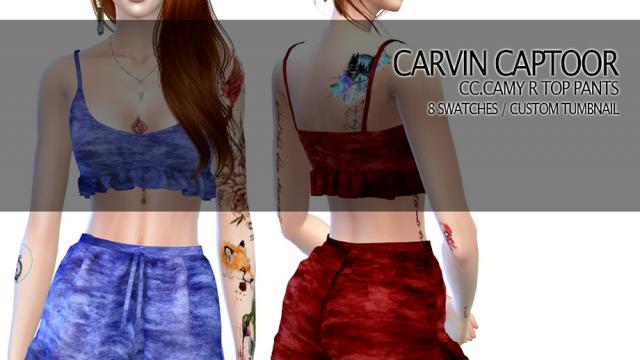
Set of Women's Shorts for The Sims 4: - 8 Patterns; - Original Mesh; - All LODs.


- 3064
- 273
- 0
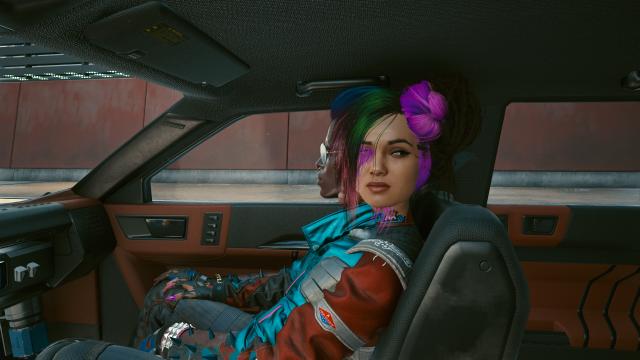
The mod for Cyberpunk 2077 adds the ability to hire companions. The mod is still in development, so there may be errors - both minor and critical. You will be able to hire any character: a trader, a passerby, Panam and Judy, etc. Installation: - Make sure you have Cyberpunk Engine Tweaks; - Extract the files and drop them to the path: Cyberpunk 2077\bin\x64\plugins\cyber_engine_tweaks\mods\companion_mod\init.lua How to use: - Approach the NPC and press "0" (by default). Removal: Delete the file \Cyberpunk 2077\bin\x64\plugins\cyber_engine_tweaks\mods\companion_mod How to change the hire button: - Open the folder \Cyberpunk 2077\bin\x64\plugins\cyber_engine_tweaks\mods\companion_mod\ - Open init.lua using any text editor; - Find the virtual key code at the top (key press = 0x30) and replace it with the desired number/letter;.
- 2561
- 247
- 0
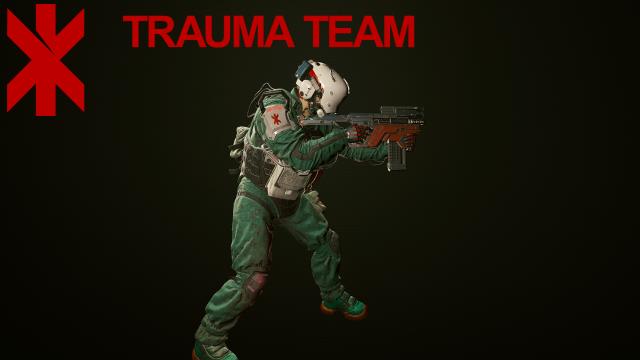
- Запустить файл "basegame_TraumaTeamPointman.archive" с помощью программы Archive2 - Найти и извлечь файл "TraumaTeamPointman.archive" и добавить в папку \Cyberpunk 2077\archive\pc\patch - Запустить файл "TraumaTeamPointman.archive" с помощью программы Archive2 Installation: - Extract the file "basegame_TraumaTeamPointman.archive" and add it to the \Cyberpunk 2077\archive\pc\patch folder - Run the file "basegame_TraumaTeamPointman.archive" using the Archive2 program - Find and extract the file "TraumaTeamPointman.archive" and add it to the \Cyberpunk 2077\archive\pc\patch folder - Run the file "TraumaTeamPointman.archive" using the Archive2 program
- 7926
- 1057
- 0
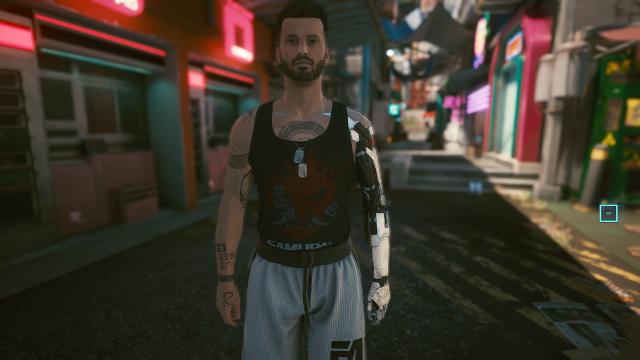
A mod for Cyberpunk 2077 adds Johnny Silverhand's arm and tattoos. Only for male character. Installation: Unpack the archive and add the files to the folder: - For Steam: \SteamLibrary\steamapps\common\Cyberpunk 2077\archive\pc\patch - For GOG: \GOGLibrary\Games\Cyberpunk 2077\archive\pc\patch - For Epic Games: \EpicLibrary\Cyberpunk 2077\archive\pc\patch Removal: - Delete "basegame_JohnnySilverhandArmPlustattoos.archive" from Cyberpunk 2077\archive\pc\patch
- 3918
- 340
- 0
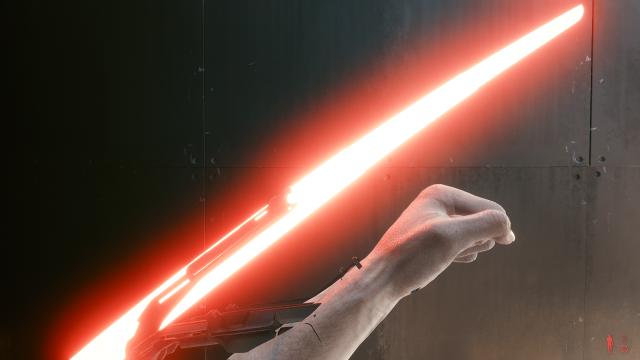
A mod for Cyberpunk 2077 replaces the standard look of the Mantis Blades with glowing blades like Oda's. Notes: - When the blades are not active, your character will have normal unmodified hands; - Will conflict with other mods that replace the Mantis Blades or default weapons. Installation: - Extract the files from the archive and add them to the Cyberpunk 2077 folder. Removal: Go to the Cyberpunk 2077\archive\pc\patch folder and delete the file named "basegame_aa_OdaMantisBlades.archive.
- 3403
- 378
- 0
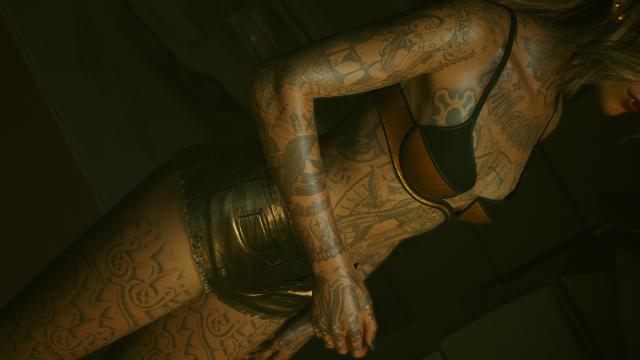
This mod replaces the naked skin texture that V currently uses in the game with a vanilla one, but with Valentino tattoos. Notes: - You don't need to start the game again or do anything - the tattoo will appear autonomously; - For both genders. Installation: Through the mod manager or copy the files to the Cyberpunk 2077 folder.
- 3599
- 337
- 0
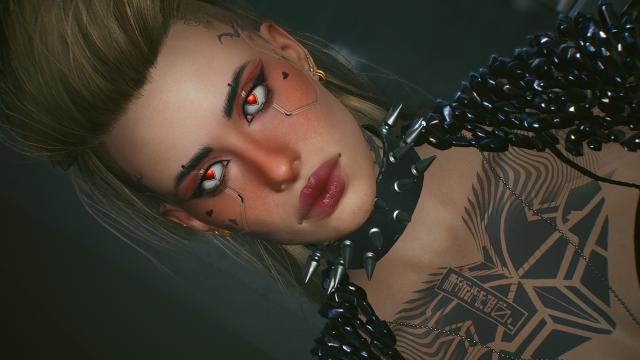
Translate: The mod changes some makeup options to more improved ones. Contains: - 2 eyeliners; - 1 lipstick option; - 1 face color option. What options does the mod replace: - Eyeliner replaces the 8th makeup option for eyes; - Dark eyeliner replaces the 2nd makeup option for eyes; - Lip gloss replaces the 3rd makeup option for lips; - Face color "egirl" replaces the 5th face color option. Installation: Unpack the archive and add the files to the folder: - For Steam: \SteamLibrary\steamapps\common\Cyberpunk 2077\archive\pc\patch - For GOG: \GOGLibrary\Games\Cyberpunk 2077\archive\pc\patch - For Epic Games: \EpicLibrary\Cyberpunk 2077\archive\pc\patch