
-
Games
Total materials on the site: 32130View all games 279
-
BeamNG Drive
-
Mods
21 category with 777 modification for BeamNG Drive
Gameplay mods for BeamNG Drive

- 247
- 66
- 0
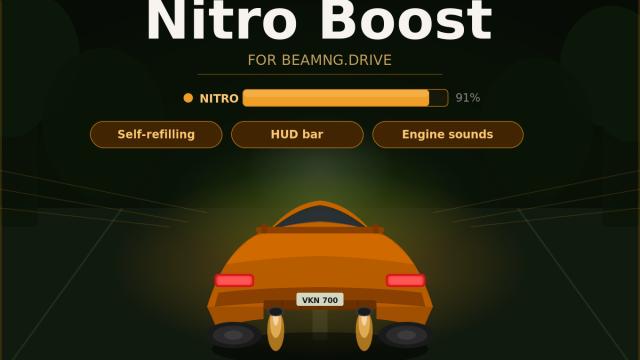
The modification adds a new ability to the game - Nitro Boost. This is a nitro acceleration that works on any vehicle and speeds it up (by about 2 times). How to use: - To start nitro, press and hold the K key; - To make a strip appear (as in the screenshots), go to UI settings - Add UI - Nitro Boost. Place the UI where it is convenient for you and when using a boost, a bar will appear with the amount of remaining “fuel” for the boost. The bar replenishes automatically as soon as you release the K key. What's next in plans: - Add visual effects (shot from the exhaust); - More realistic sounds; - Deeper gameplay (the smaller the nitro supply, the slower the acceleration will be) + ability to customize acceleration/nitro tank capacity.
- 190
- 37
- 0
A completely new traffic system for BeamNG.drive with brand-new features. After installing the mod, new options called Traffic Reborn will appear in the radial menu and the UI menu. You can: - Fully control traffic density and choose which vehicles will appear (you can enable traffic consisting only of modded vehicles, light traffic, luxury car traffic, and more); - Use various preset configurations: vehicles from different eras (the 1970s, 1980s, and 1990s), supercars only, classic cars only, and more; - Save custom profiles with specific vehicle selections; - Adjust traffic behavior settings: realistic, aggressive, racers, and more; - Start police chases with three different intensity levels; - Take control of any vehicle from the traffic; - And much more. Controls: - All controls are available through the radial menu and a separate UI panel (for configuring the vehicle pool); - Hotkeys are also available: Alt + T — spawn traffic, Alt + E — take control of a vehicle from the traffic. Version 1.1 is completely free and fully functional, but the full feature set is available only in the paid version 1.2. Once version 1.3 is released, version 1.2 will become free.
- 274
- 41
- 0
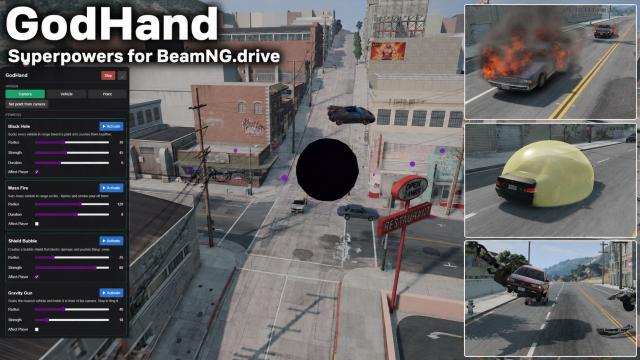
This BeamNG.drive mod adds superpowers to BeamNG.drive, allowing you to create black holes, use the Thanos Snap, summon lightning strikes, start fires, activate anti-gravity, and much more! This is the first version of the mod, featuring several abilities and interesting functionality. However, future updates will add many more superpowers. It is recommended to use the mod in free camera mode. In the menu itself, you can choose where the superpowers will be applied: at the camera position, near the player's vehicle, or in other locations. In addition, you can adjust the radius, duration, and power of almost all superpowers. List of abilities - Gravity Gun. Grabs the nearest vehicle and holds it in front of the camera. Alt+B throws it in the direction you are looking. - Anti-Gravity Zone. A low-gravity bubble where vehicles slowly rise and float. - Mass Change. Makes vehicles as light as a feather (scale 1, smashing through everything). - Stasis Freeze. Freezes all vehicles within the radius in place, even in mid-air. Automatically releases them after the selected duration. Combo: launch them with Launchpad → freeze them in the air. - Shield. A force bubble around your vehicle that pushes other vehicles away. - Rocket Boost. A powerful thrust that launches your vehicle forward and upward. - Teleport. Instantly moves your vehicle to the origin point. You can teleport your vehicle to the camera position. - Thanos Snap. Destroys approximately half of the other vehicles. - Black Hole. A black hole that pulls in all vehicles and destroys them. - Shockwave. A sudden burst of energy that throws vehicles away within the radius. - Magnet. Vehicles are pulled toward any selected point and crash into each other. Damage comes only from collisions; it does not destroy vehicles like the black hole. - Vortex / Tornado. A powerful tornado that first pulls vehicles in, then throws them in all directions. - Launchpad. Launches everyone upward. - Mass Fire. Sets vehicles within the radius on fire. - Disintegrate. Completely destroys vehicles, leaving only beams behind. - Jelly Mode. Turns vehicle physics into jelly. This version is COMPLETELY FREE for all users.
- 295
- 35
- 0
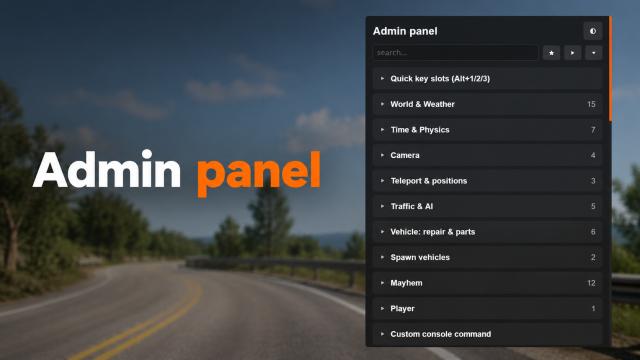
Sandbox Tools (Cheat Menu / Admin Panel) puts BeamNG.drive's hidden console power into a clean in-game panel. Every cheat comes with a plain-English description and shows the exact console command it runs - so you can fire it with one click and learn the console along the way. Open it with Alt+F, browse or search, and go. No typing, no wiki-hunting. Works on any map in single-player free roam. How to use - First of all, open UI Panel and add Cheat Menu / Admin Panel; - Now you can toggle UI with ALT + F combination. What's inside World & Weather - Gravity presets - Earth, Moon, Mars, Jupiter, Zero-G, Reversed - plus a custom value; - Time of day - Midday / Dusk / Night / Dawn / exact custom time / resume the day-night cycle; - Wind speed and cloud-cover sliders. Time & Physics - Slow-motion (10% / 25% / 50%), normal speed, fast 2x, and a custom time-scale slider; - Pause / resume the simulation. Camera - Free camera, vehicle camera, toggle; - Teleport your vehicle straight to the free-camera position. Teleport & Positions - Save and load your position; - Unstuck - teleport to the nearest road; - Teleport to any of the map's spawn points, detected automatically. Traffic & AI - Spawn AI traffic with an amount slider, with or without police; - Clear all traffic; - Start / end a police pursuit. Vehicle - Repair & recover upright on the spot; - Refuel to full or drain the tank; - Random factory paint job; - Open / close couplers for trailers; - Spawn, replace, or randomize your vehicle from an auto-detected list, including mod cars; - Remove all other vehicles. Mayhem - Boost forward/back, fling up/down; - Force field - push / pull, with an off switch; - Ignite, extinguish, explode; - Break everything, break hinges, deflate tires. Player - Walk mode - step out of and back into your vehicle. Custom console - Run any BeamNG Lua you want, right from the panel. Quality of life - Favourites - pin the cheats you use most and filter to just those, saved between sessions; - Copy - copy any command to the clipboard; - Quick key slots (Alt+1-9) - bind any cheat to a key and trigger it without opening the panel, saved between sessions and fully rebindable; - Toasts on every action ("Cheat applied" / "Cheat failed") - a cheat that needs a vehicle never fails silently; - Adjustable opacity so the panel can live on your HUD while you drive. Hotkeys - Alt+F - show / hide the panel; - Alt+1 ... Alt+9 - run your bound quick-slot cheats; - All keys are rebindable in Options - Controls - Bindings - Gameplay. How to install - Drop the zip into your mods folder, don't unzip it; - Enable Cheat Menu in the Mods menu; - On any map, open the Apps screen and add the Cheat Menu app to your HUD; - Press Alt+F and enjoy.
- 384
- 98
- 0
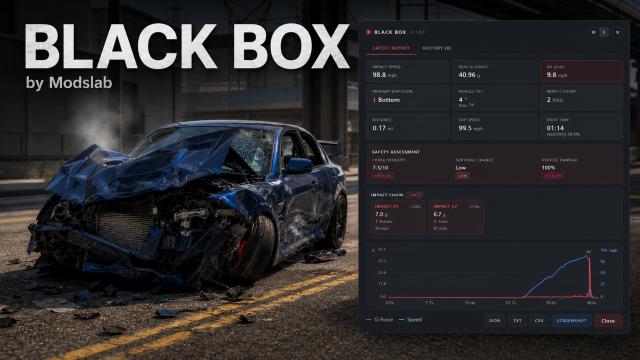
The modification adds a black box (application, flight recorder), like in airplanes. It records statistics and shows them after the accident: at what speed did you make the accident, the force of the impact, which side was the impact, the maximum speed of the trip, the length of the trip (in kilometers and in time), and so on. Enable Black Box powerfully in Apps. Recording can be turned on/off using the mouse. Summary trip statistics are shown as soon as a major crash occurs and the vehicle is stopped.
- 226
- 23
- 0
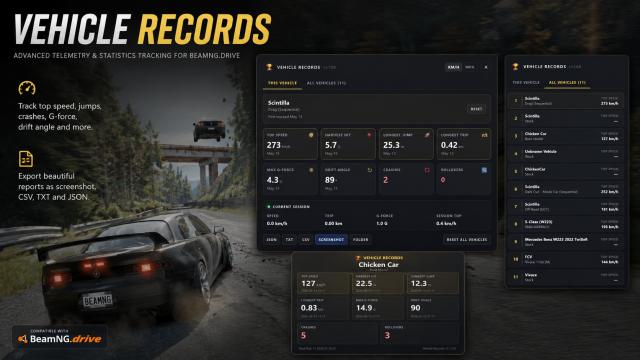
The BeamNG Drive mod adds a new UI that tracks your vehicle data and your personal records on each of them. - The maximum speed you have developed; - Number of accidents; - Number of turns; - Maximum flight length; - The strongest impact in an accident; - And other parameters. Other features: - Information about each vehicle and each configuration is saved separately. You can set personal records on each of your vehicles separately; - It is possible to import data in different formats; - It is possible to make a beautiful photo report (for example, for publication in a video).
- 2376
- 991
- 0
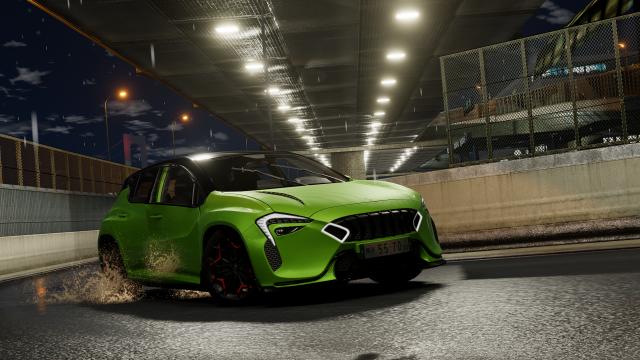
The BeamNG Drive mod adds animated windshield wipers (configuration for all base vehicles). Control: - Y: turn on the front wipers; - ALT + Y: turn on the rear wipers. The wipers have 3 control modes: off, slow mode, fast mode.
- 2593
- 412
- 0
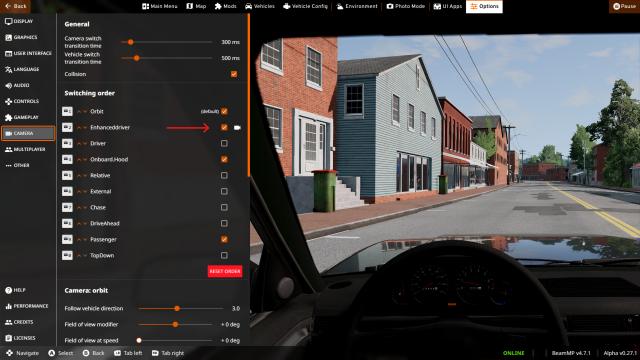
Improves the camera in the interior, adding the effect of camera shaking at high speeds and more. - When accelerating, the camera tilts back a little, as well as when braking; - On rough roads the camera shakes; - Camera shaking also appears at high speeds: more than 100 mph; - There are different presets that you can use; - VR support. To enable the mod, after installation, open the game settings, go to the camera settings and enable EnhancedDriver.